
Ask questions
Devexana answers questions from stored records and links answers to those records. The assistant on a switch page can also run live read-only commands.
- Available
- Chat answers built from stored records, with citations
- Available
- Assistant on a switch page that runs read-only commands on that switch
- Available
- Record search and chat-history search by keyword
- In production use
- Answer model, embedder and reranker that run on the appliance
Where to ask
Ask on the Chats screen for general questions. Ask on a switch page for questions about one switch.
| Place | Use it for | What it reads |
|---|---|---|
| Chats | Questions about tickets, devices, documents and logs | Records stored on the appliance |
| Assistant on a switch page | Questions about one switch | Stored records for that switch, plus live read-only commands on it |
| Search (command palette) | Find a record, screen, setting or past chat by keyword | The keyword index of stored records and chats |
Read the answer
Each answer links to the stored records it was built from. A citation marker such as [1] marks the place in the text. Each cited record shows its type, its owner and how fresh it is.
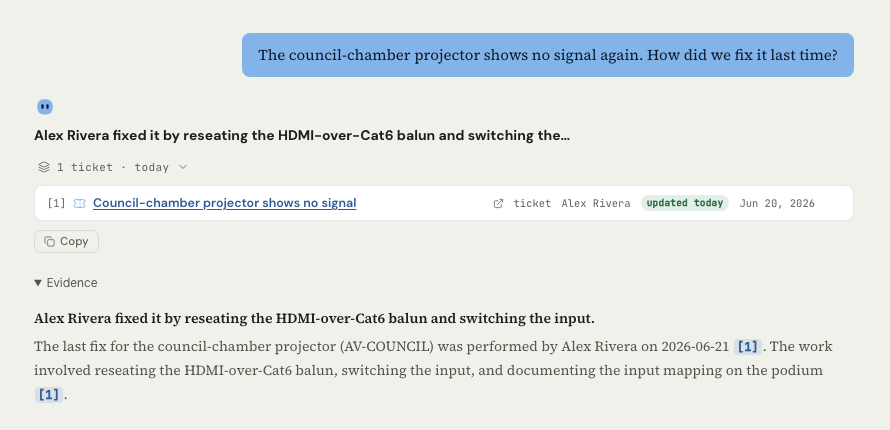
To check an answer, do these steps:
- Select a cited record.
- Read the source record that opens.
- Compare the record with the sentence that cites it.
- Read the freshness label on the record.
- If the record is old, check the current state on the source system before you act.
Devexana runs fixed checks on each answer before you see it. These checks use rules, not a model:
- Unsupported names and dates. Devexana removes person names and dates absent from cited records. Devexana adds a note.
- Uncertainty. If the records lack two or more other details, Devexana adds an uncertainty note and lowers the confidence.
- Missing records. When Devexana finds no relevant stored record, the assistant reports that no local record answers the question.
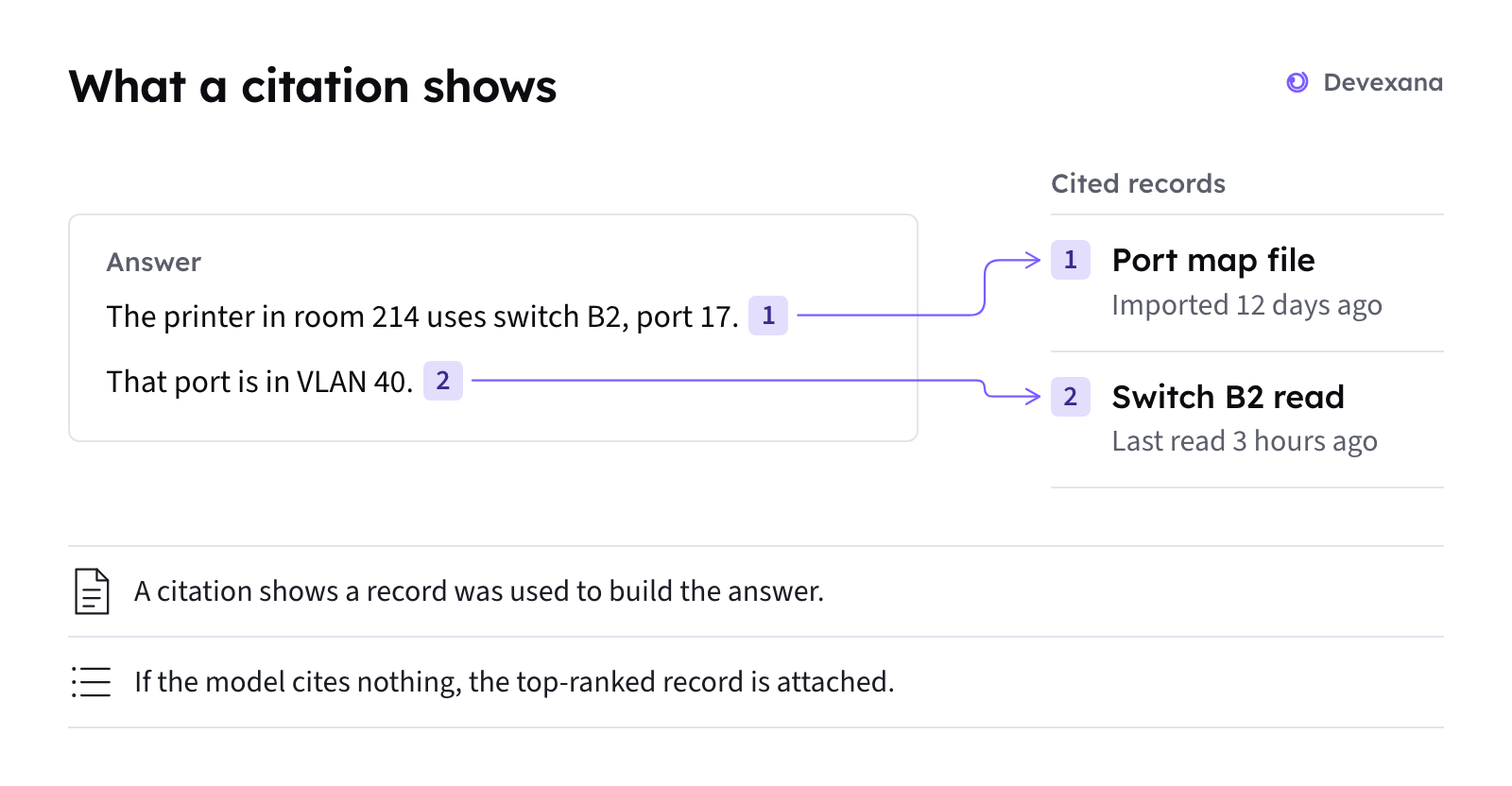
Cited answers explains each part of a cited answer.
When there is no answer
When no stored record answers the question, the reply is: "I don't have a local record that answers that."
- If a read-only live check can help, Devexana offers one. The check runs only after you accept it.
- If the appliance's answer model does not respond, Devexana displays a message. The message starts with "Can't reach the on-box model engine". See “Can't reach the on-box model engine”.
- To find out why a record is missing, see “The assistant says it has no local record”.
Ask about one switch
The assistant on a switch page answers questions about that switch. It reads stored records and runs live read-only commands on the switch.
- Open the switch page, for example from a port link on Today or from the campus map.
- Find the pane "Ask about this switch" beside the faceplate.
- Type your question.
The assistant works in this sequence:
- The assistant collects stored records for the switch.
- Before sending a command, Devexana checks it against the read-only command allowlist.
- The assistant runs permitted commands to read ARP and MAC tables, VLANs, and LLDP or CDP neighbours.
- Devexana removes secrets, such as passwords, from the device output.
- The assistant drafts an answer from the records and command output.
- The assistant checks addresses, interfaces and person names against the records.
These checks do not prove that every sentence is correct.
If stored records do not fully support an answer, the assistant labels it "treat as directional". A line under each answer names the model that produced it.
Search
Search finds stored records and past chats by keyword.
- Command palette. Finds screens, settings, chats, sources and records from one search field.
- Chats search. Finds your own chats and chats that others shared with you. Matches show highlighted text.
Limits
Applies to Devexana release 0.3.182. Page updated 2026-10-20. Questions or corrections: support@devexana.com.