
Cited answers
A citation links an answer to a stored record. It does not prove that the record supports every sentence.
- Available
- Cited answers in chat
- Available
- Deterministic grounding checks
- Available
- Grounding check on the assistant on a switch page
- Off by default
- Firewall alert diagnosis
On this page
Answers link to the stored records they were built from, and each link shows how fresh the record is. A citation shows which stored record the model was given. It does not prove that the record supports every sentence of the answer. Open the citations before you rely on an answer.
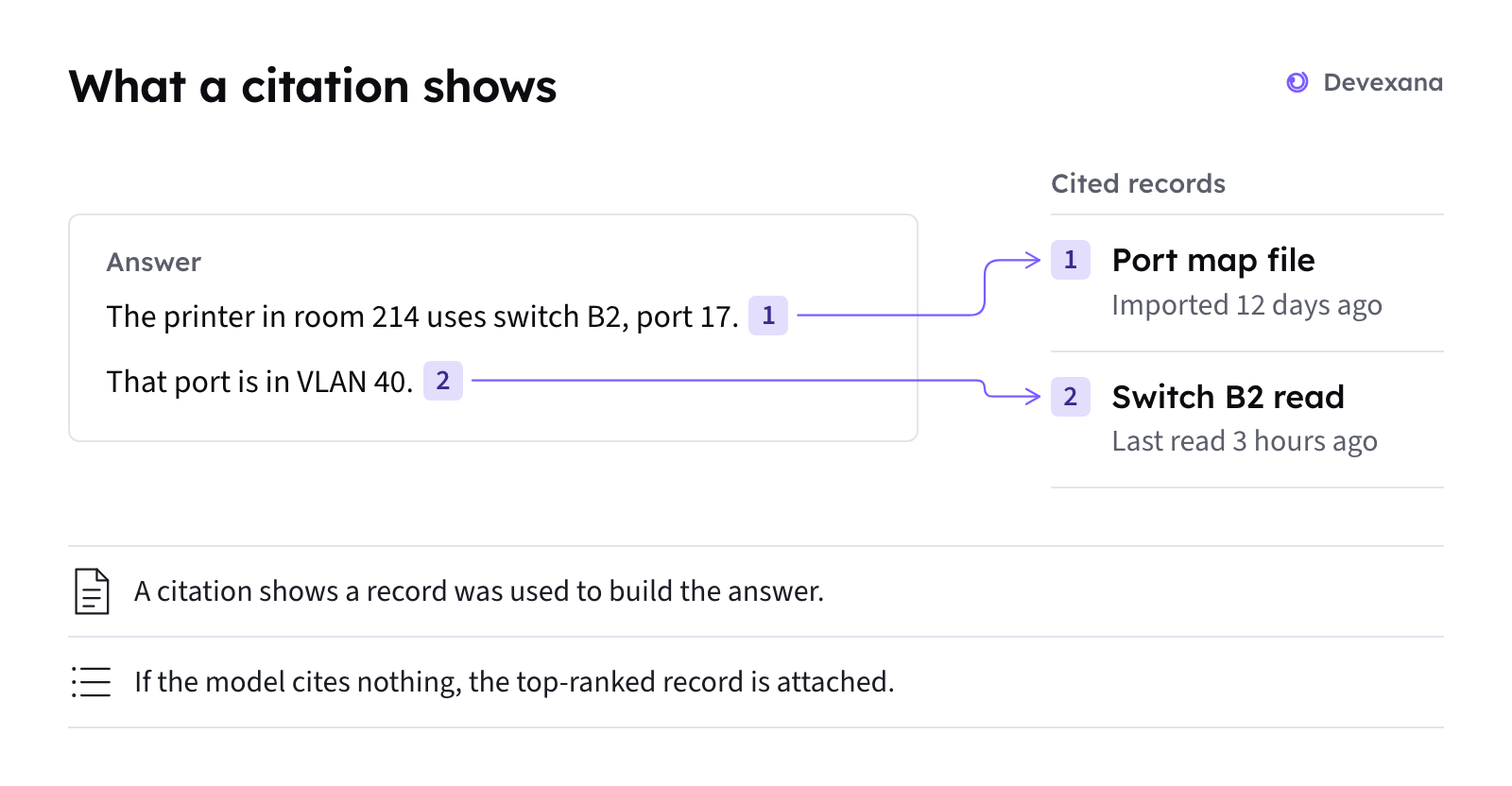
What a citation is
A citation is a numbered marker in the answer, such as [1]. Each citation links to one stored record on the appliance.
A citation shows:
- The source system, such as your helpdesk or a switch.
- The record type and title.
- The dates of the record.
- A short excerpt from the record.
- The freshness of the record.
Select a citation to open the stored record. An answer has at most six citations.
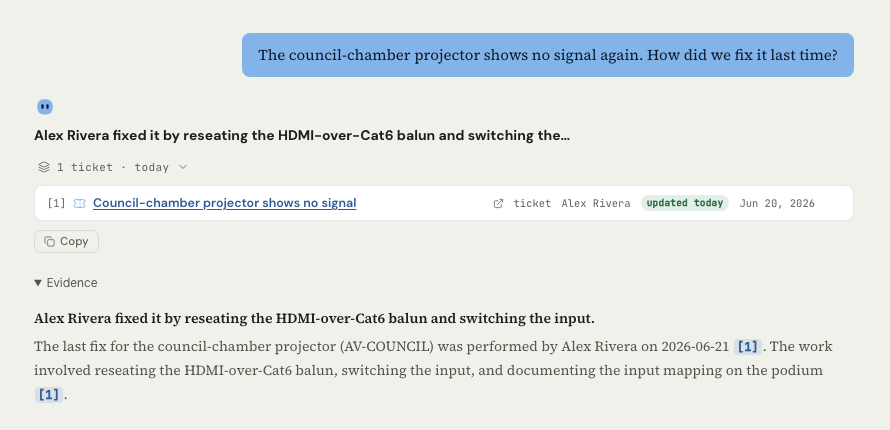
Freshness on every citation
Each citation shows how fresh its record is. The badge has one of four labels:
| Badge label | What it means | What to do |
|---|---|---|
| stale | Devexana has not confirmed the record against its source for more than 2.5 times that source's read interval | Check when the source last read successfully. Data looks stale |
| deleted at source | The source system no longer has this record | Treat the record as history, not as the current state |
| verified, with an age | The time when Devexana last confirmed the record against its source, for example "verified 2d ago" | Compare that time with the time your question is about |
| updated, with an age | The time when the record itself last changed. Devexana uses this label for history records, such as a closed ticket | Read the record as a record of that time |
An answer is only as current as the last read of its records.
Cited and related records
The citation list has two parts:
- Cited records. Numbered answer markers refer to these records. If the answer has no marker, Devexana attaches the highest-ranked record.
- Related records. These records cover the same subject, but the answer did not cite them.
Checks that run before you see the answer
Deterministic checks run on chat answers that are built from stored records. No model judges the answer.
- Devexana tells the model to answer only from the records it receives.
- Devexana looks for person names, dates, numbers and quoted text that are not in any cited record.
- If a person name or a date is not in the records, Devexana removes it. A note names what was removed.
- If two or more numbers or quoted strings are not in the records, Devexana adds an uncertainty note. It also lowers the confidence.
- If no stored record answers the question, Devexana replies: "I don't have a local record that answers that."
- If a live read is available, Devexana offers to read live data. “The assistant says it has no local record” explains this reply.
What a citation proves
| Statement | Does the citation prove it? |
|---|---|
| The record is stored on the appliance | Yes |
| The record was in the material given to the model | Yes |
| How fresh the record was when the answer was written | Yes |
| The record supports every sentence of the answer | No |
| The reasoning between two facts is correct | No |
| A paraphrase matches the source | No |
| A single unsupported number or quoted string was removed | No. The checks act on these only when there are two or more |
Answers on a switch page
You ask network questions in the assistant on a switch page. The assistant drafts an answer from the evidence that Devexana holds for that switch. If the draft names an address, an interface or a person that is not in the evidence, Devexana refuses that draft.
- The answer cites its sources with numbered markers, as in chat.
- The assistant cannot apply a change. In this release, changes to network-device configuration are disabled in code.
- This assistant uses a cloud model only when Devexana has set up the cloud connection. Devexana provides it through its zero-data-retention agreement on AWS. Where the AI runs explains this.
Firewall alert diagnosis
Firewall alert diagnosis is off by default. The installation setting is firewall_diagnostic_enabled.
Devexana labels every firewall alert diagnosis as based on log records. If the diagnosis names a rule, address or port that is not in the log evidence, Devexana flags it. Devexana also lowers the confidence to low.
Security findings
Security findings start as proposals. A person confirms or dismisses each one. Security findings describes the findings.
How to check an answer
- Open each citation in the answer.
- Check the freshness badge on each citation.
- Compare each claim in the answer with the record that it cites.
- If the answer text has no numbered marker, read the first citation in full. Devexana attached it automatically.
- If the answer is wrong, report it to your administrator with the question and the citations.
Check an answer against its sources gives the full procedure.
Limits
Applies to Devexana release 0.3.182. Page updated 2026-10-20. Questions or corrections: support@devexana.com.