
Data looks stale
Check the record age. Start a new read of one source or one switch.
- Available
- Freshness on citations, Refresh on network views, read schedules
- Off by default
- Re-read of one switch after a link event
On this page
Each citation shows how fresh its record is. When you ask about the current state, the answer says how long ago the source was read.
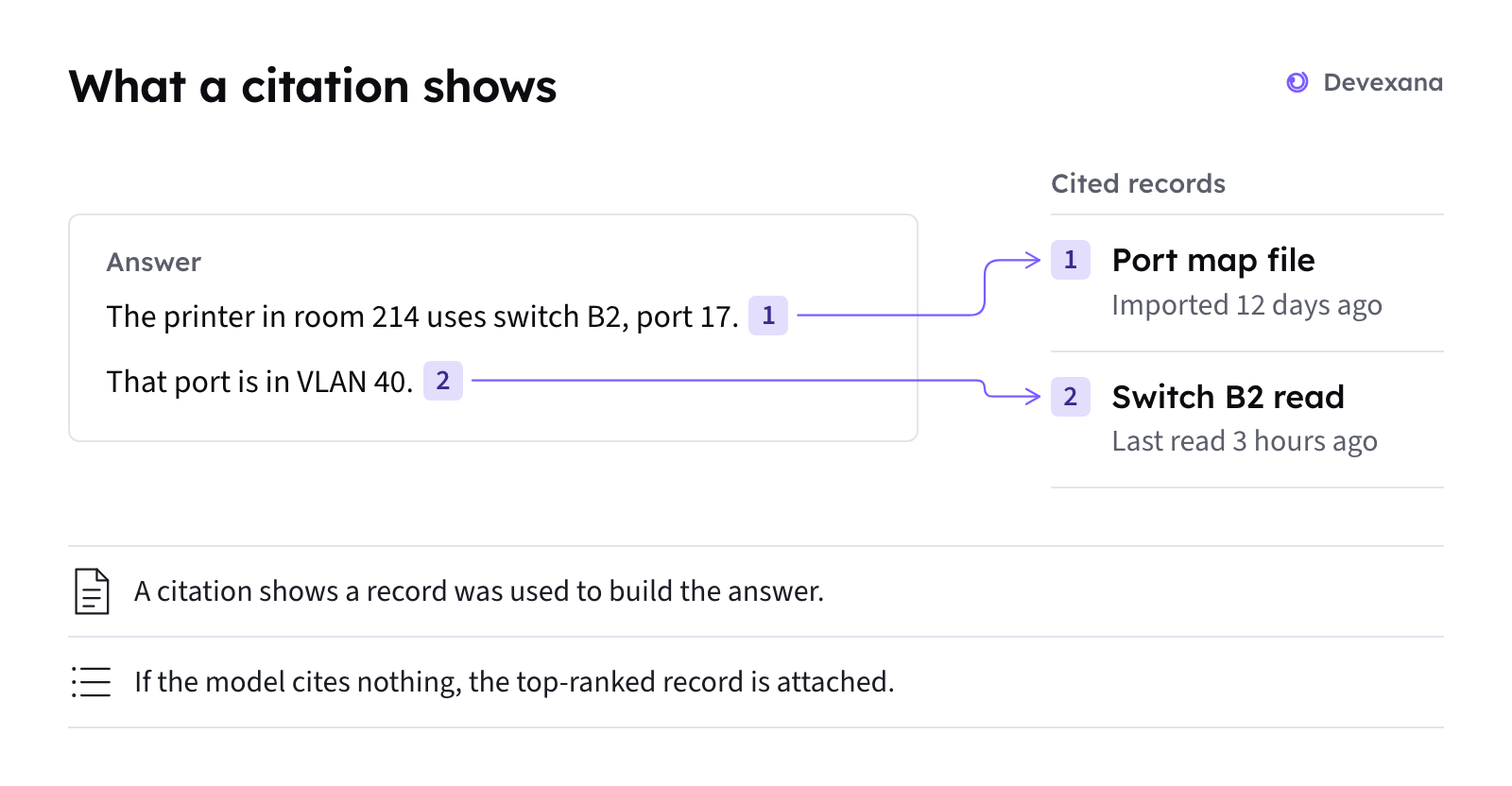
Where you see the age of data
| Place | What it shows |
|---|---|
| Citation list in an answer | A freshness badge on each citation. A record deleted at the source is marked as deleted. |
| Answer to a question about now | A note that names the source, says how long ago it was read, and says that nothing was checked at that moment. |
| Switch faceplate | Reachable, stale or unreachable for the switch, and stale readings for single ports. |
| Campus view | The age of the neighbour table. |
| Connectors page | A degraded state after 24 hours without a good read. See Source health states. |
Default read schedules
| Source | Default schedule |
|---|---|
| Switches and other network devices | Once a day |
| Other sources | Every 15 minutes |
By default, Devexana reads switches once a day. This limits the lines that Devexana adds to switch authentication logs.
Symptoms
A citation or a port shows a stale badge
What happened
Devexana marks the record or the port reading as stale. The stored value is old.
Why
One of these conditions is true:
- the next scheduled read has not run yet;
- the source is paused or failing. See Source health states;
- firewall log processing waits for the next source sync.
What to do
- Open the source on the Connectors page.
- Read the source's health state.
- Check the source's last read time.
- Select Sync now to read that one source now.
If this does not fix it
Send an email to support@devexana.com. Include the source type, the record title and its freshness badge.
Refresh does not change the data
What happened
You selected Refresh on a network view, but the data stayed the same.
Why
Refresh re-reads only the sources that are due. Refresh runs no more than once every 15 minutes. It does not guarantee a read of every due device. It does not contact devices that are not due.
What to do
- To read one source now, open it on the Connectors page.
- Select Sync now.
- Open the switch page.
- Ask the assistant about the switch's current state.
- If the assistant offers a read-only live check, accept it.
See “The assistant says it has no local record”.
If this does not fix it
Send an email to support@devexana.com. Include the view name, the time you selected Refresh and the time of the last read.
A switch shows as stale or unreachable
What happened
The appliance has no fresh read from the switch.
Why
The last read failed, or the next read has not run yet. Devexana marks the switch as stale or unreachable.
What to do
- Open the switch source on the Connectors page.
- Select Test connection.
- If the test fails, follow A switch is listed but not read.
- If the test succeeds, select Sync now.
If this does not fix it
Send an email to support@devexana.com. Include the switch model, the result of Test connection and the time of the last good read.
A record is marked as deleted at the source
What happened
The citation shows that the record was deleted in the source system.
Why
The source system removed the record after Devexana stored it.
What to do
- Look for the record in the source system.
- If the record is gone, do not rely on the cited content.
- Ask the question again.
- Check the age of each cited record before you use the answer.
If this does not fix it
Send an email to support@devexana.com. Include the record title and the source type.
Get fresher data in the future
An administrator can shorten the read interval of a source. For switches, each read adds lines to the switch authentication log. If you accept more authentication log entries, ask an administrator to shorten the switch's read interval.
If listeners are on, a link event can trigger another read of one switch. A link-up or link-down SNMP trap or syslog message can trigger that read. This feature is off by default. See Syslog, SNMP traps and NetFlow.
Applies to Devexana release 0.3.182. Page updated 2026-10-20. Questions or corrections: support@devexana.com.