
A listener receives nothing
Find why Devexana does not receive syslog messages, SNMP traps or flow records from your devices.
- In production use
- Barracuda CloudGen syslog
- Available
- SNMP trap, NetFlow and IPFIX listeners
- Off by default
- All listeners start off
On this page
All listeners are off by default. Their default bind address is the loopback address, 127.0.0.1.
Set the listener's bind address to the appliance's LAN address. Turn on the listener.
Where to look
- Listener status in Networking › Logs shows whether each listener is on, its address and port, and any error.
- Raw lines in Networking › Logs shows the received lines. Filter by host. Filter by source address.
- Listener drop list shows the senders whose traffic a listener dropped.
Checks in order
Do the checks in this order. Each check has a symptom section below.
| Check | Cause | Result when it is the cause |
|---|---|---|
| 1 | The listener is off. | The listener status shows the listener as off. |
| 2 | The listener is bound to the loopback address. | The status shows 127.0.0.1 as the address. |
| 3 | The port cannot be opened. | The status shows a permission error. |
| 4 | The sender is not on the source allowlist. | The drop list shows the sender. |
| 5 | The packets do not arrive at the appliance. | The status is correct, but no lines and no drops appear. |
| 6 | The format is not decoded. | Lines are missing or are not parsed. |
| 7 | A size or rate limit drops the traffic. | The drop list shows the sender. |
| 8 | The network link was down when the appliance started. | The status shows that the listener waits to bind. |
Symptoms
The listener status shows the listener as off
What happened
The listener is not running.
Why
All listeners are off by default. A user with permission to manage sources must turn on each listener.
What to do
- Open Networking › Logs.
- Open the listener settings.
- Turn on the listener that you need: syslog, SNMP traps or flows.
- Save the settings.
If this does not fix it
Send an email to support@devexana.com. Include a screenshot of the listener status and the appliance version.
The listener is on, but it shows the loopback address
What happened
The listener receives only from the appliance itself.
Why
The default bind address is the loopback address, 127.0.0.1. Devices on your network cannot reach it.
What to do
- Open the listener settings in Networking › Logs.
- Set the bind address to the LAN address of the appliance.
- Save the settings.
- Make sure that the status shows the LAN address.
Devexana rejects a public bind address. Binding to all interfaces requires an additional appliance setting.
If this does not fix it
Send an email to support@devexana.com. Include the listener status and the address that you entered.
The listener status shows a permission error
What happened
The listener could not open its port.
Why
The Devexana service does not run as root. Ports below 1024, for example 514 and 162, can fail with a permission error.
What to do
- Open the listener settings in Networking › Logs.
- Set a port above 1024. For example, use 9514 for syslog or 9162 for traps.
- Save the settings.
- Set the same port as the destination on each device that sends.
If this does not fix it
Send an email to support@devexana.com. Include the listener status and the port that you set.
Lines from one device do not appear
What happened
The listener is running, but one sender does not appear in the raw lines.
Why
One of these conditions is true:
- a source allowlist is set, and the device is not on it;
- the device sends to a wrong address or port;
- a firewall on the appliance or on the network blocks the packets;
- a VLAN or a route stops the packets.
What to do
- Look for the device in the listener drop list.
- If the allowlist blocks the device, confirm that your network policy permits its traffic.
- If your policy permits the traffic, add the device address to the source allowlist.
- On the device, check that the destination address matches the listener address.
- Check that the destination port matches the listener port.
- Check whether a firewall blocks the packets.
- Check the VLAN configuration.
- Check the route to the appliance.
If this does not fix it
Send an email to support@devexana.com. Include the device type and its source address. Include the listener status and a screenshot of the drop list.
Lines arrive but are missing or not parsed
What happened
The device sends, but the lines are missing or have no parsed fields.
Why
Devexana does not decode TLS syslog, octet-counted TCP syslog, SNMPv3 trap contents or sFlow. A listener also drops a datagram larger than 8,192 bytes, and drops traffic above 2,000 packets per second from one sender.
What to do
- For syslog, if your security requirements permit unencrypted traffic, configure the device to send plain syslog over UDP.
- For SNMP traps, if your security requirements permit unencrypted traffic, configure the device to send SNMPv1 or SNMPv2c traps.
- For flow records, configure the device to send NetFlow v5, NetFlow v9 or IPFIX.
- Look for the device in the listener drop list.
- If the sender exceeds 2,000 packets per second, configure it to send fewer records.
- Keep the records that your monitoring requirements need.
If this does not fix it
Send an email to support@devexana.com. Include the device type, its software version and two or three sample lines with passwords and addresses removed.
The listener waits to bind after a restart
What happened
The listener did not bind when the appliance started.
Why
The network link was down at start-up. The listener tries again with a longer delay each time, from 60 seconds up to 10 minutes. Devexana writes one audit log record for each such period.
What to do
- Make sure that the network link of the appliance is up.
- Wait for the next try.
- Look at the listener status again.
If this does not fix it
Send an email to support@devexana.com. Include the listener status and the time that the appliance started.
Lines arrive but no firewall alerts appear
What happened
Raw lines are in Networking › Logs, but Alerts shows nothing new.
Why
One of these conditions is true:
- firewall alerts are off;
- firewall log processing runs only after a source sync, and no source has synced;
- the listener was turned on from the screen only. The setting that the silent-stream alert and the traffic view read is not set. The traffic view can then report the listener as off.
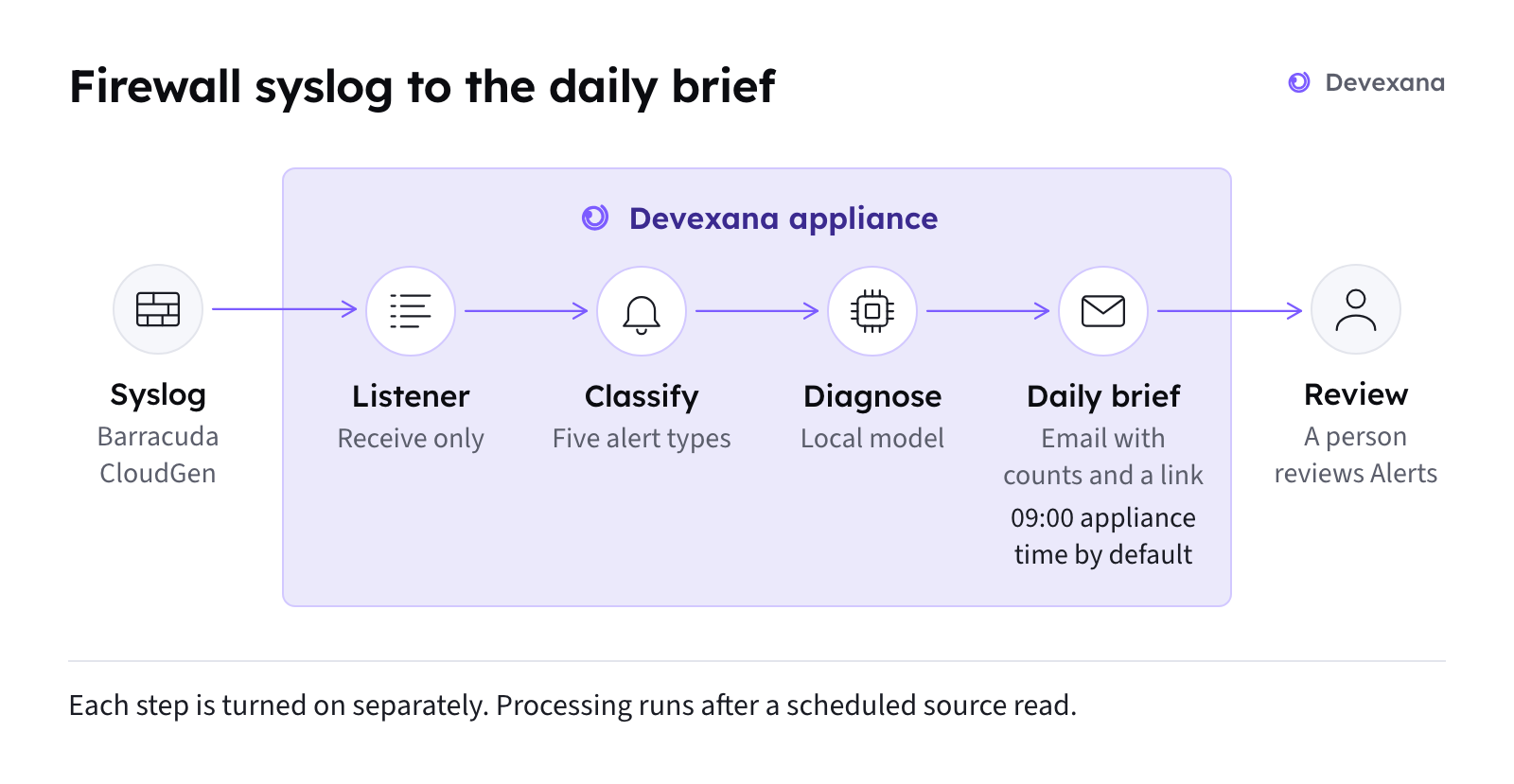
What to do
- Make sure that firewall alerts are turned on. See Firewall alerts and the daily brief.
- Make sure that at least one source syncs on its schedule. See Source health states.
- If the traffic view reports the listener as off, ask support to set the listener setting on the appliance.
If this does not fix it
Send an email to support@devexana.com. Include the time of the last raw line and the last source sync. Attach a screenshot of Alerts.
Applies to Devexana release 0.3.182. Page updated 2026-10-20. Questions or corrections: support@devexana.com.