
“Can't reach the on-box model engine”
The answer “Can't reach the on-box model engine” means that the assistant could not reach the model service on the appliance. This page also covers the busy answer.
- In production use
- Model service on the appliance
The assistant did not produce an answer to your question. This page explains what you see and what to send to Devexana support.
What still works
Search, network views and stored records stay available while the model service is down. Answers that need the model do not work until the model service answers again.
Symptoms
The answer says "Can't reach the on-box model engine"
What happened
The assistant could not connect to the model service on the appliance. The answer contains no information about your question.
Why
One of these conditions is true:
- The model service is starting after a restart or an update. It must load its models before it can answer.
- The model service is stopped.
- The model service stopped after repeated crashes. After 5 starts in 2 minutes, it does not try again.
- The appliance refused to start the model service because the models would use more memory than the appliance permits.
What to do
- Ask the question once more.
- If the answer is the same, send an email to support@devexana.com.
- Include the time of the answer.
What Devexana support does
Devexana support checks the model service and the health of the appliance, and corrects the cause.
The answer says that the model is busy and your question is queued
What happened
The model service is running, but it did not start your question in time.
Why
The appliance generates one answer at a time. The model service processes questions from the assistant before background work. When the queue is long, the answer says that the model is busy.
What to do
- Ask the question once more.
If this does not fix it
If the busy answer appears again, send the time of the answers to support@devexana.com.
Answers stop after a restart or an update
What happened
After the appliance or model service restarts, the assistant gives the model-down answer while the model service loads its models.
Why
After a restart or an update, the model service loads its models before it answers.
What to do
- Wait for the model service to finish loading.
- Ask the question again.
- If the model-down answer continues, do the steps in the first symptom on this page.
If this does not fix it
Send an email to support@devexana.com. Include the time of the restart or update, if you know it.
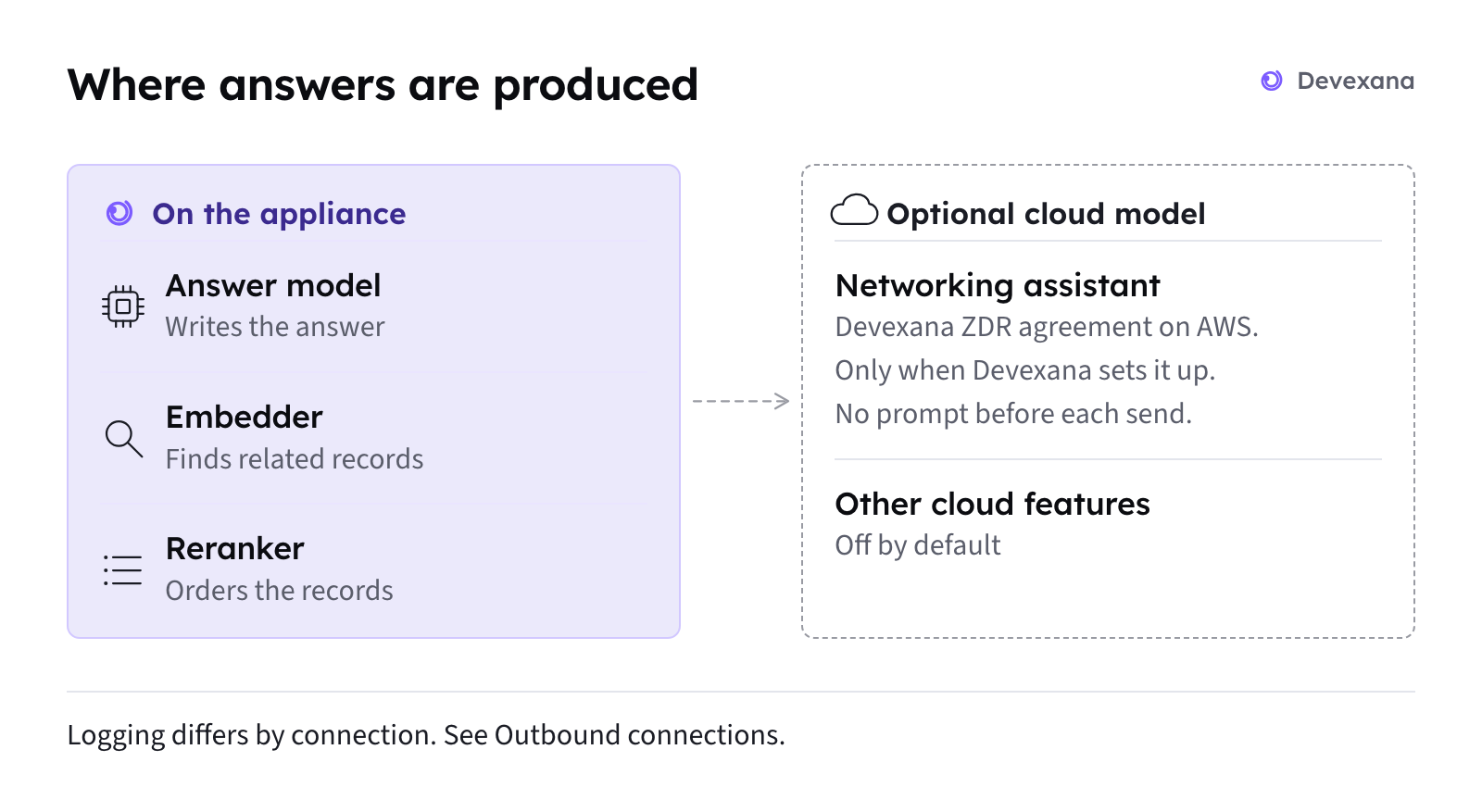
About the cloud consultant in the message
The model-down message mentions a cloud consultant. That feature is off by default. It works only if Devexana has enabled it. Do not plan to use it when the model service is down. See Outbound connections: the complete list.
Applies to Devexana release 0.3.182. Page updated 2026-10-20. Questions or corrections: support@devexana.com.