
Municipal IT teams
Devexana answers municipal helpdesk and network questions from stored records. Sources use read-only access.
- In production use
- Freshservice helpdesk reads
- In production use
- Aruba/HP AOS-S (ProCurve) switch reads over SSH and SNMP
- In production use
- Barracuda CloudGen firewall read over SSH, syslog alert classification and the daily brief
- In production use
- Models on the appliance and the audit log
On this page
A municipal IT team uses Devexana to answer helpdesk and network questions from its own records, with a citation to each record. Devexana reads its sources with read-only accounts and runs on an appliance on the network of the municipality.
What runs at a municipal government
The municipal deployment uses Freshservice, Aruba/HP AOS-S switches and Barracuda CloudGen firewalls.
| Source | What Devexana reads | Status |
|---|---|---|
| Freshservice helpdesk | Tickets, assets, requesters, locations and solution articles, through a read-only API key. By default, Devexana re-reads the helpdesk every 15 minutes | In production use |
| Aruba/HP AOS-S (ProCurve) switches | Read-only SSH and SNMP reads. By default, Devexana reads each switch once a day | In production use |
| Barracuda CloudGen firewalls | Interfaces, high-availability state, routes and licences over SSH. Syslog to a receive-only listener | In production use |
By default, Devexana produces answers with models that run on the appliance. On the appliance, llama.cpp serves a Qwen 3.6 35B-A3B model, a local embedder and a local reranker. A deployment can run with no cloud model. In production, customers do not bring their own model keys. If a deployment uses a cloud model, Devexana provides it through Devexana's zero-data-retention (ZDR) agreement on AWS. The optional networking assistant uses a cloud model only when Devexana has set up the cloud connection for that deployment. Other cloud features are off by default. Devexana records each networking assistant request in the egress log on the appliance. See Outbound connections: the complete list for each outbound connection and its log.
What a municipal IT team can do
| Task | What Devexana does | Where to read more |
|---|---|---|
| Answer a helpdesk question | Builds the answer from stored tickets and solution articles, with a citation to each record and its date | Ask questions, API connectors and ticketing |
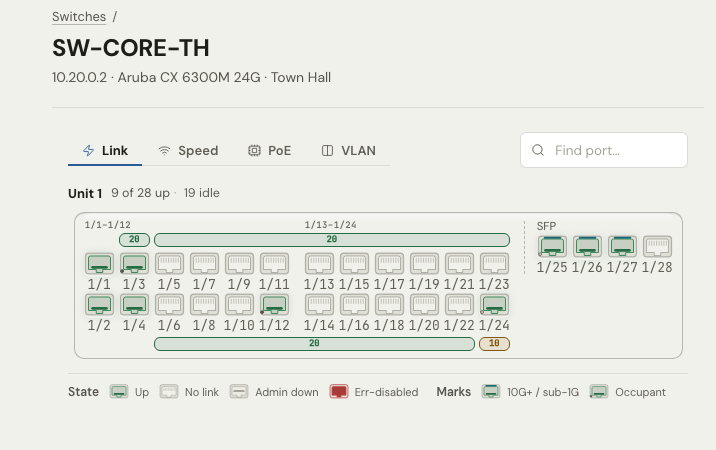
| Look at a switch port | Shows port state, VLAN, PoE class and the device on the port, as of the last read | Network views: campus map and switch faceplate |
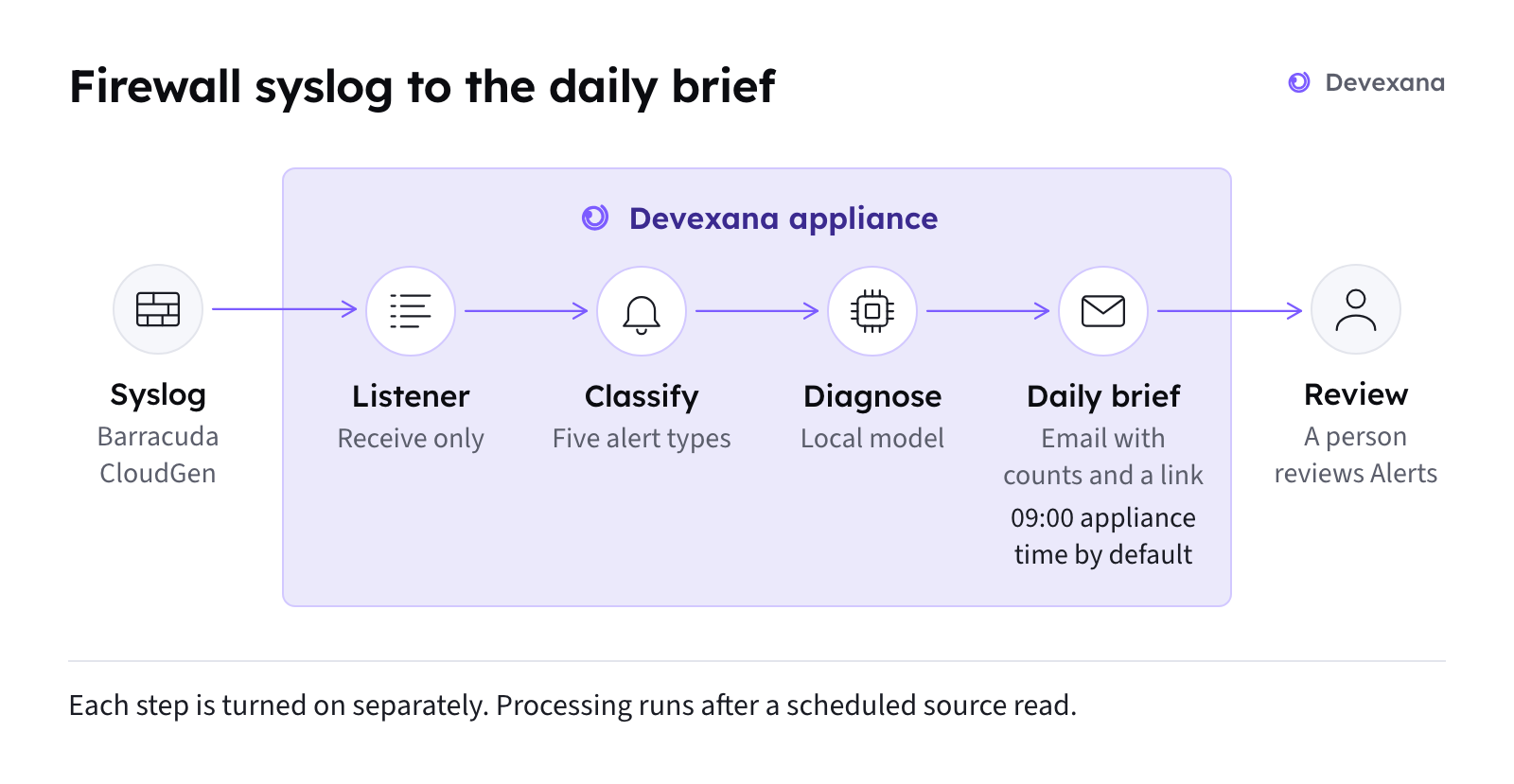
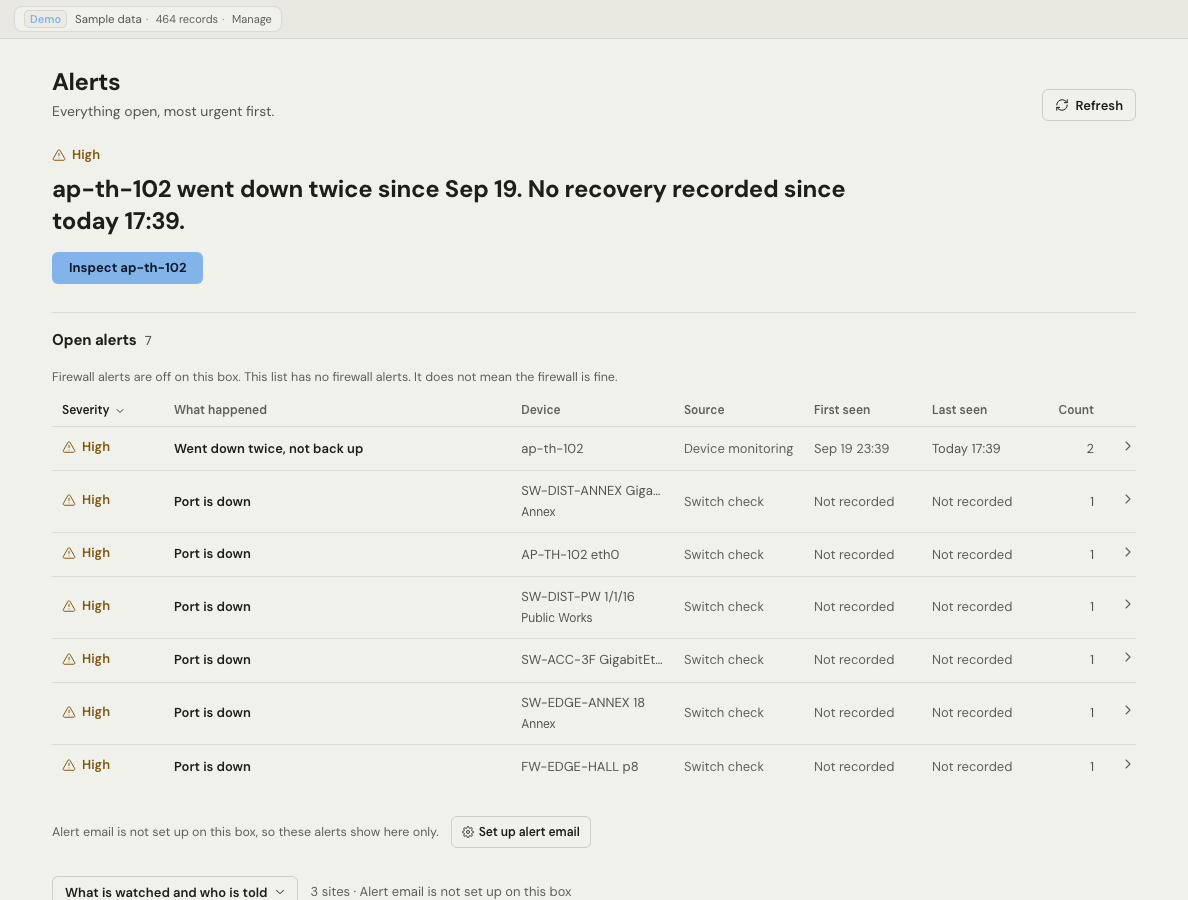
| Review firewall alerts | Classifies Barracuda CloudGen syslog into alerts and groups them into a daily brief | Firewall alerts and the daily brief |
| Show who did what | Records sign-ins, approvals, settings changes and cloud sends in the audit log | The audit log, Audit log and the auditor evidence pack |
The daily firewall brief
Devexana groups Barracuda CloudGen syslog alerts into a daily brief. In daily-brief mode, an email notice at 09:00 carries a severity, a count and a link back to the appliance. A person opens the link and reviews the alerts on the appliance.
The setup steps are on Firewall alerts and the daily brief and Syslog, SNMP traps and NetFlow.
What to connect first
Connect one source at a time. Before you add another source, check the current source's health. See Source health states.
- Add Freshservice with a read-only API key (API connectors and ticketing).
- Add Aruba/HP AOS-S switches with read-only SSH accounts and SNMP read access (Create read-only accounts, Switches over SSH and SNMP).
- Send Barracuda CloudGen syslog to a receive-only listener (Syslog, SNMP traps and NetFlow).
- Add the Barracuda CloudGen SSH read function (API connectors and ticketing).
What each level of access adds is on Logs, read-only access and evidence: what each level gives you. The full source list with a status for each source is on Sources and support tiers.
What stays with your team
What we do not publish yet
We do not yet publish outcome figures or a named reference for this deployment.
Applies to Devexana release 0.3.182. Page updated 2026-10-20. Questions or corrections: support@devexana.com.